
How to create an Elsevier Account
Creating an Elsevier account can help you easily access ScienceDirect, Knovel, SCOPUS, and Elsevier eBooks when you are off-campus.
To create an Elsevier account, please follow the steps below.
- Go to: https://id.elsevier.com/
- Click on the link “Sign in via your institute.”
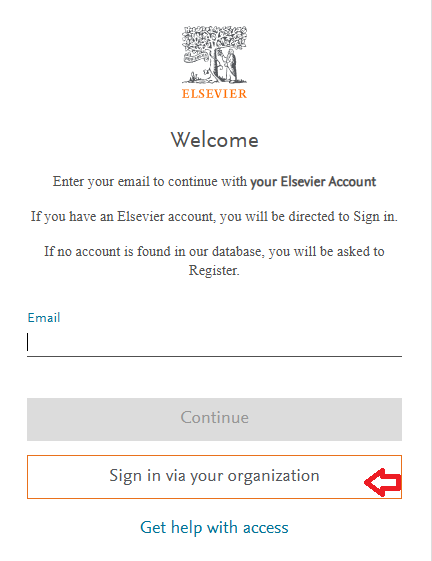
- Enter your AIT e-mail. Then, Click on ” Submit and Continue“
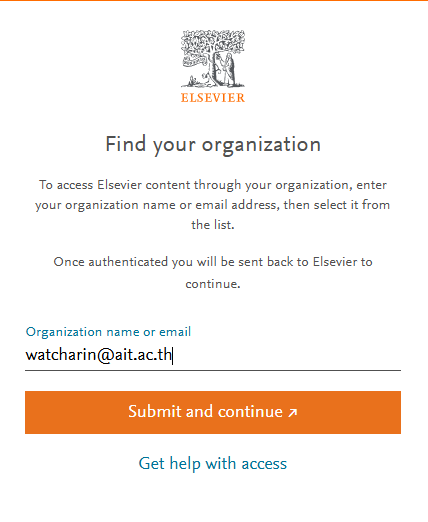
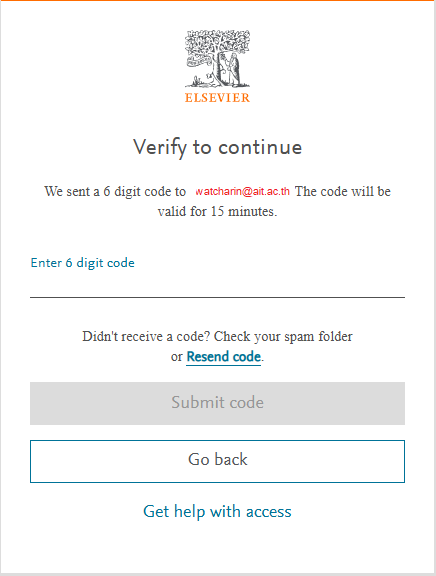
A 6-digit verification code will be sent to your email address. Please check your email, enter the 6-digit code, and click “Submit Code”
- Enter all required information in the Sign-in Details section, then click the “Save Account” button.
Note: Once your Elsevier account is activated, you can access all subscribed Elsevier products, including ScienceDirect, Scopus, and Mendeley, from anywhere without connecting to the AIT VPN or accessing them through the AIT network.
Last updated: 15 July 2026